 Scriptas
Set up Scriptas on the church computer
Install it one time on the computer that drives your screens.
Getting started4 steps
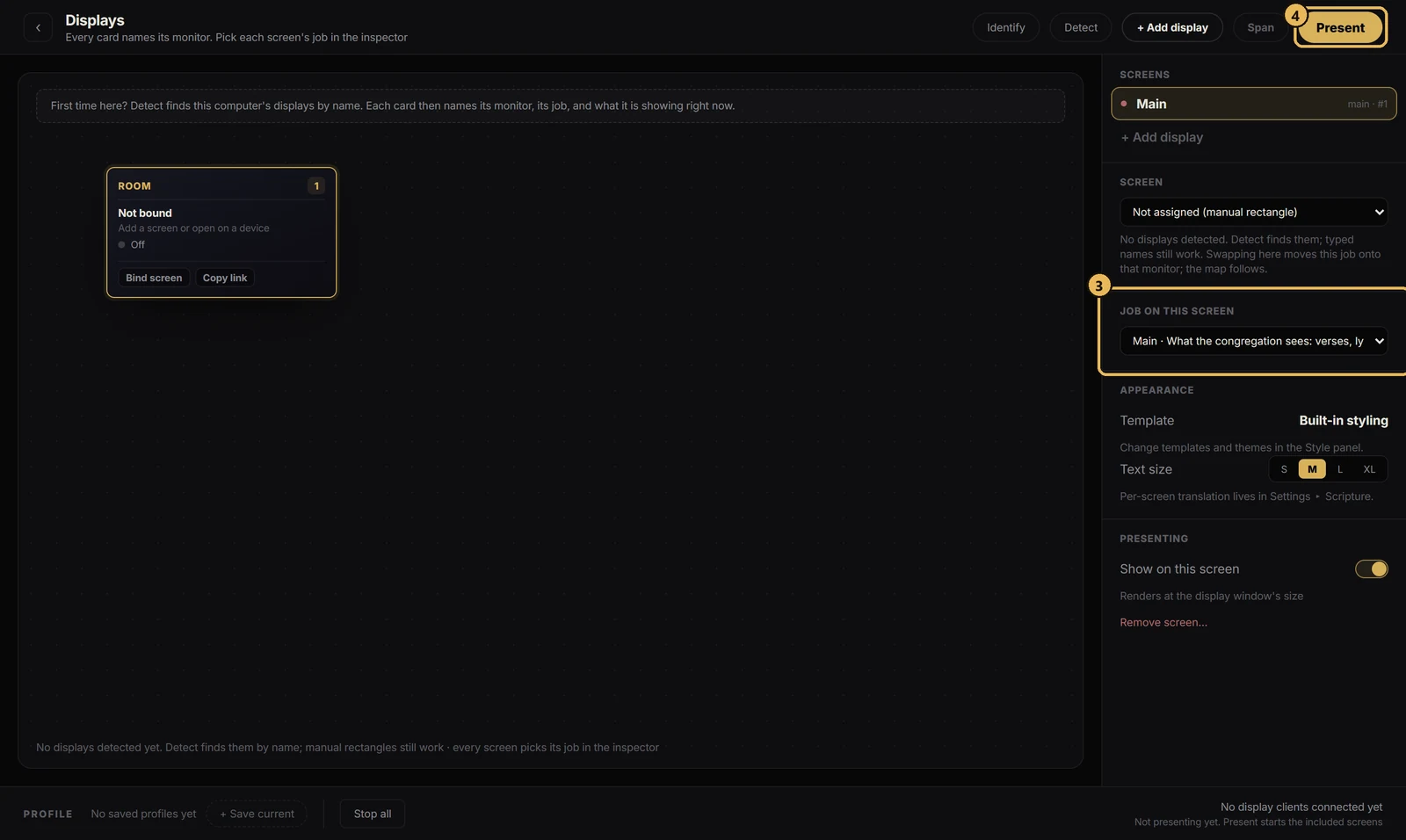
- 1Run the Scriptas installer on the computer wired to your projectors and TVs.
- 2Open Scriptas. Sign in to your Scriptas account, or pick “Stay in guest mode” to try it first.
- 3Open Screens (the monitor icon, top right). Give each display a job: Audience, Stage, Lobby or Overflow.
- 4Press Present to show Scriptas on those displays.
Related guides
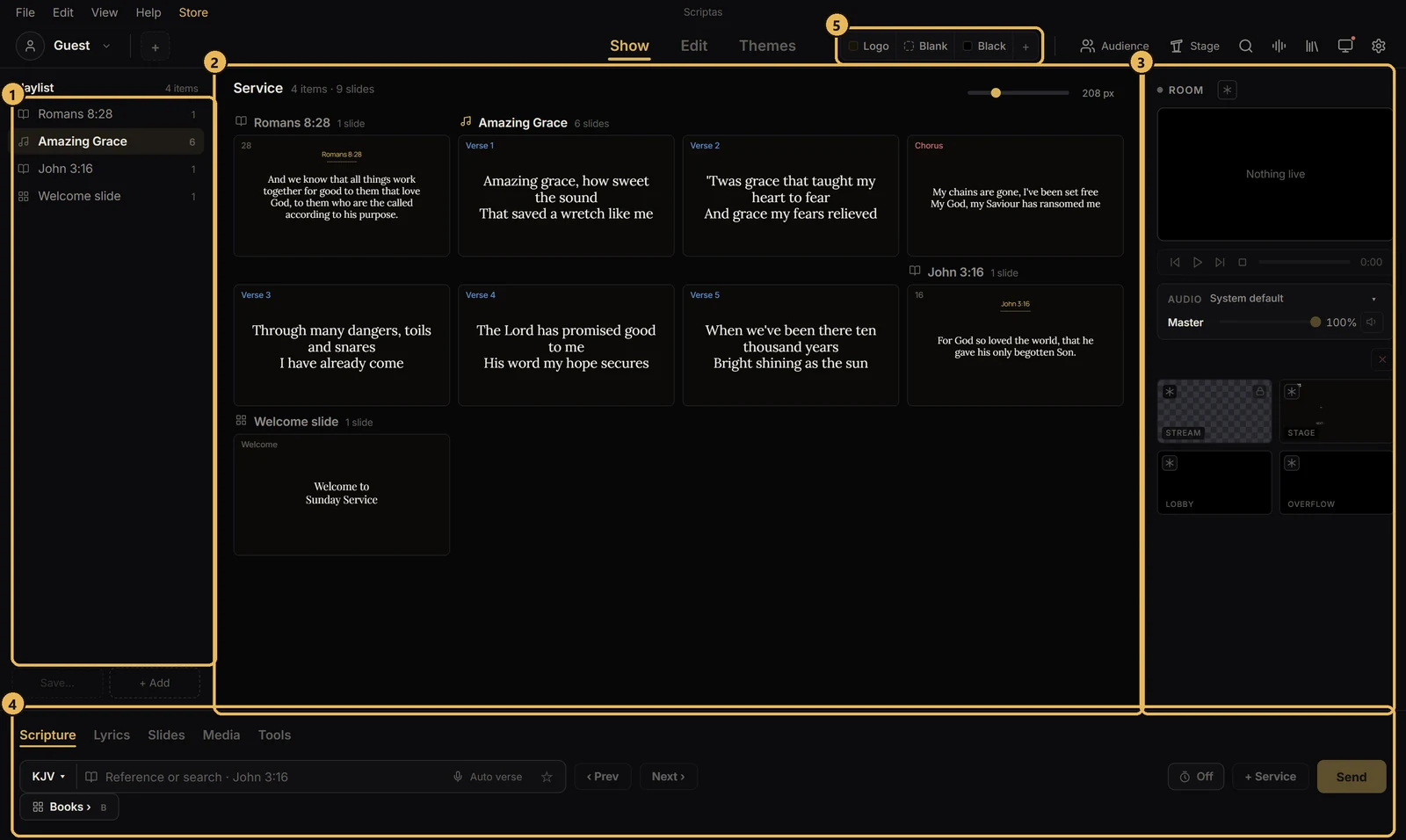
Getting startedThe Show screen at a glanceWhere things sit while you run a service.
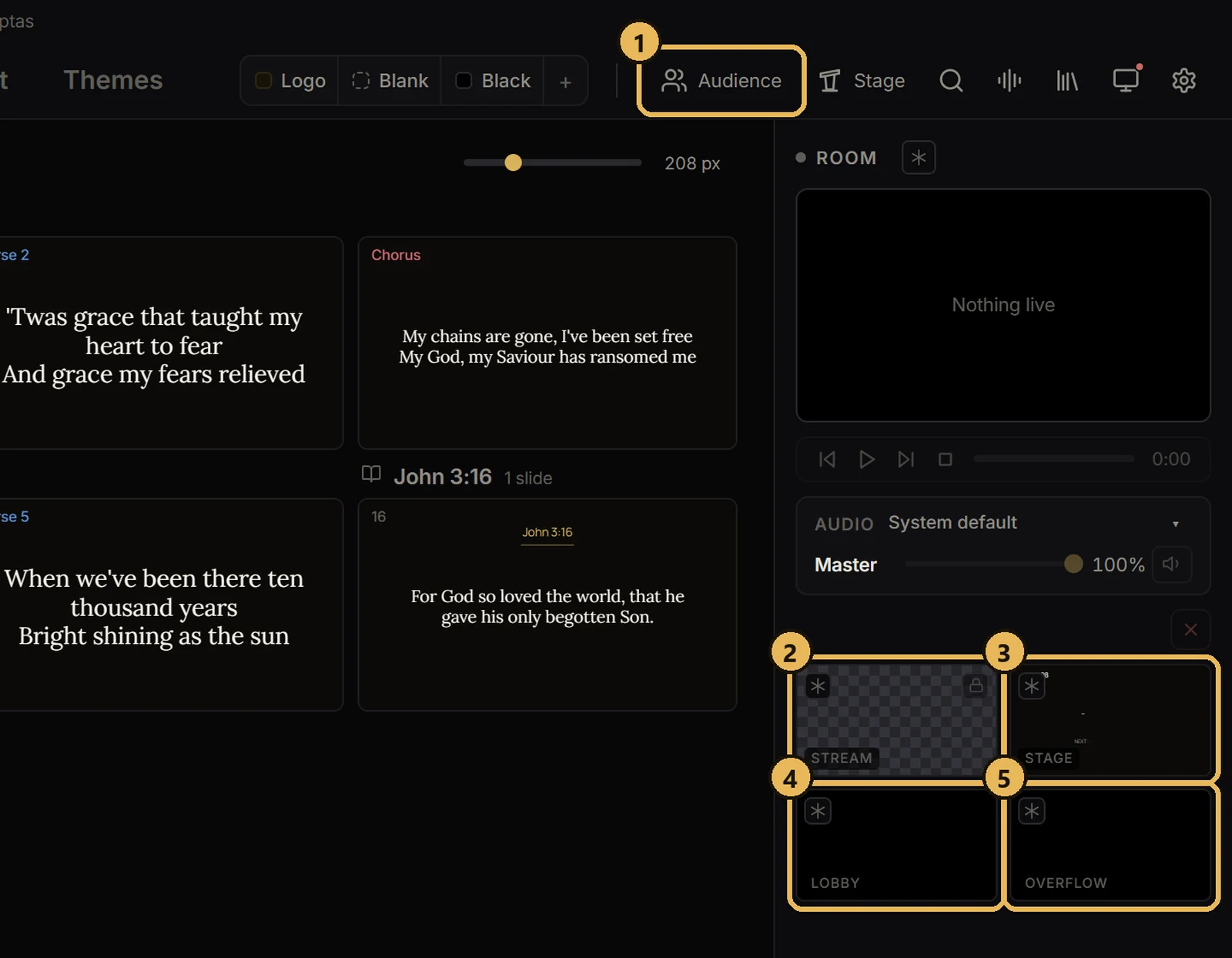
Screens and outputsThe five screensWhat each one does.
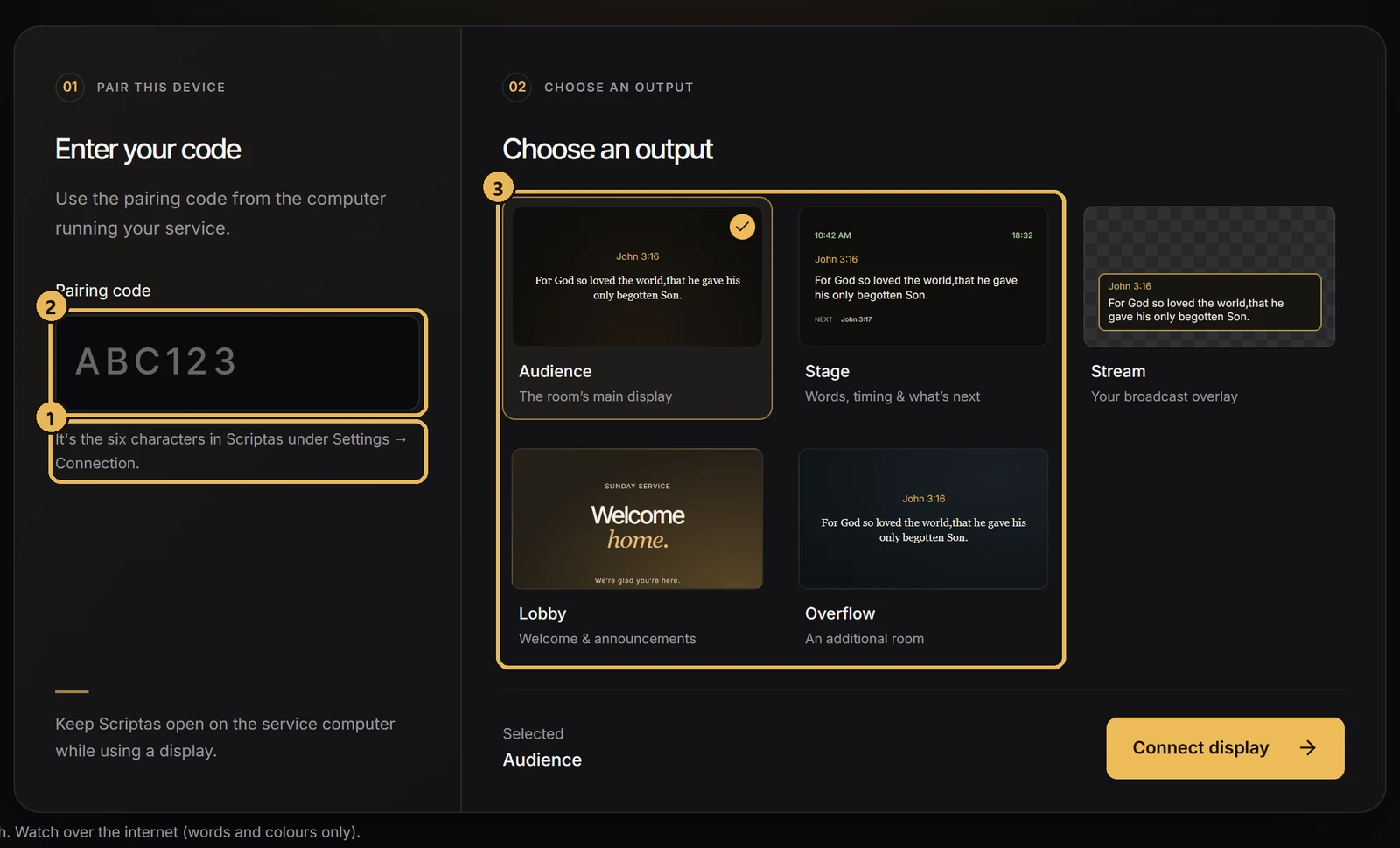
Screens and outputsPut a TV on a Scriptas screenJoin any TV on the church network with a 6-character code.
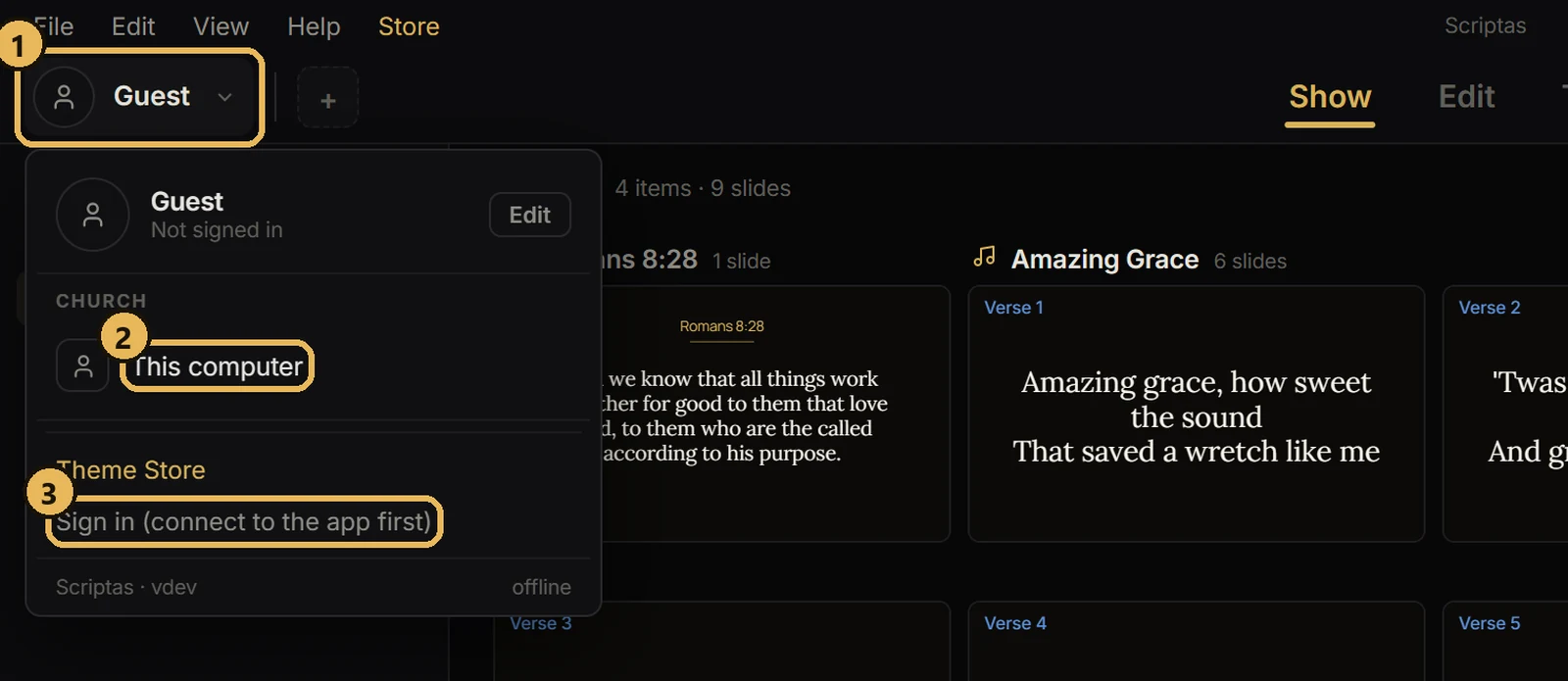
Getting startedUse Scriptas with no accountGuest mode runs fully on this computer. Sign in later to keep your church's things.