 Scriptas
Freeze or black out a screen
Hold one screen while you work, or make it dark.
Screens and outputs3 steps
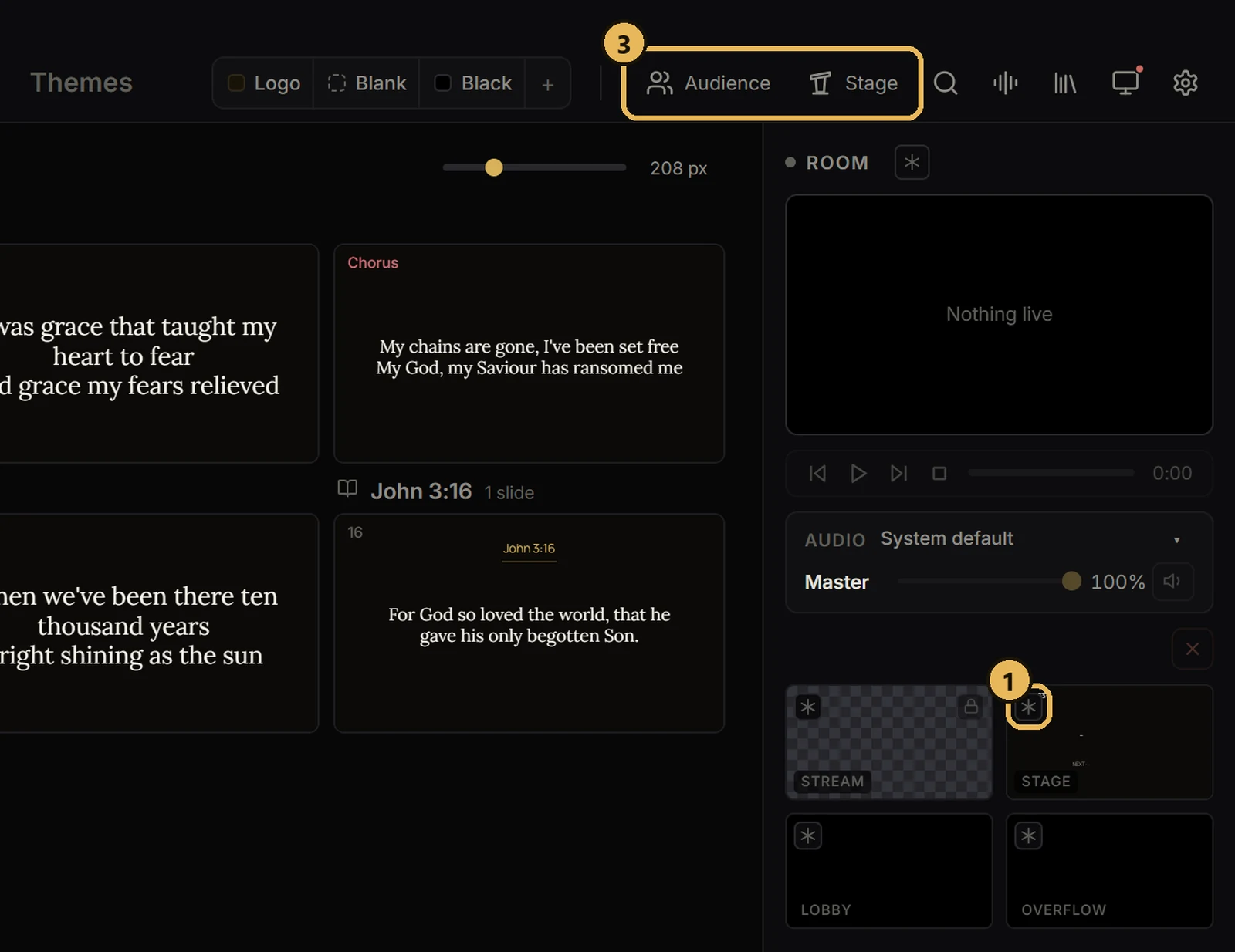
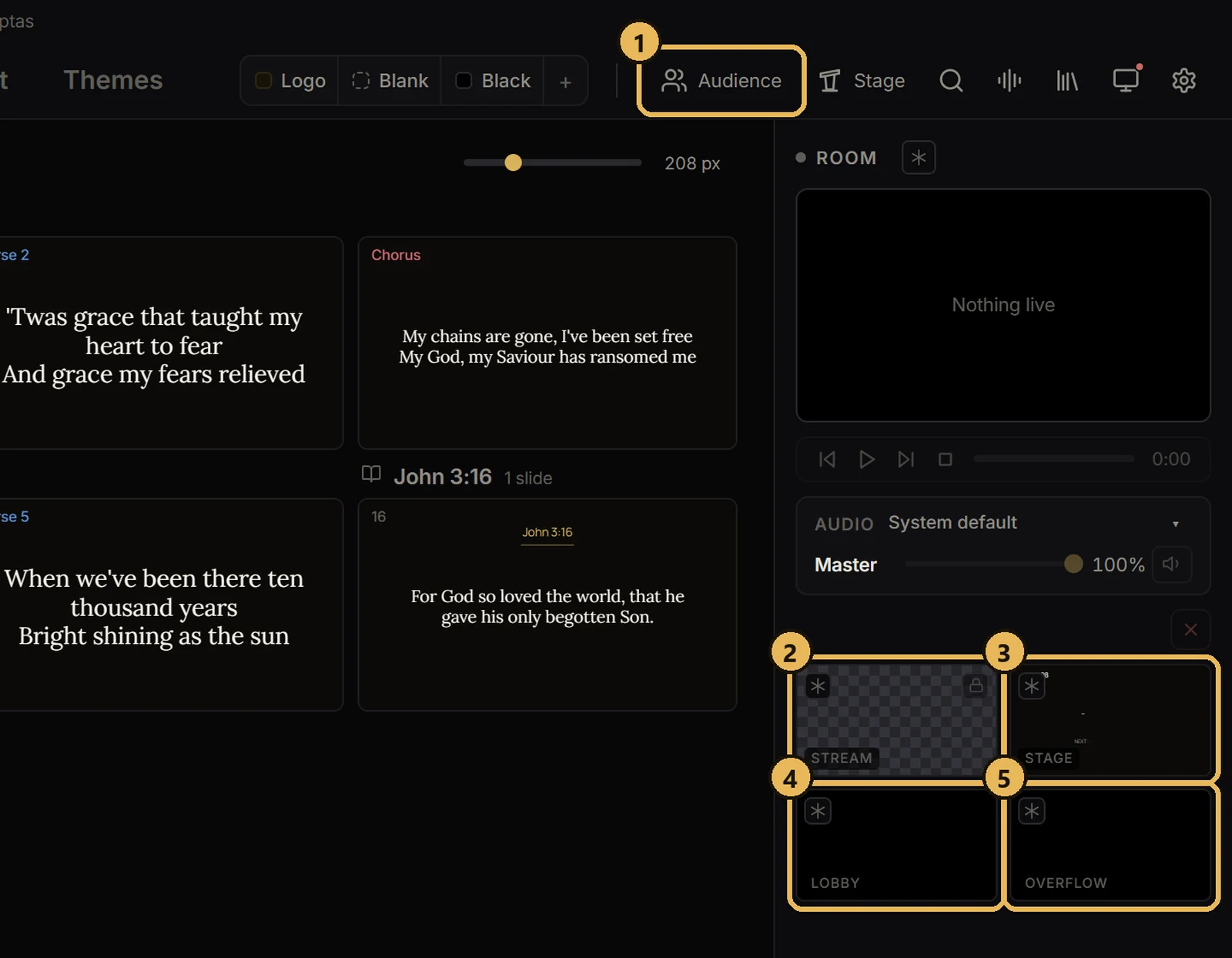
- 1To freeze a screen, click the ✳ button on its preview. It turns blue and the screen holds the picture.
- 2Click it again to go back to what's live.
- 3To black out, click Audience or Stage in the top bar.