 Scriptas
Add a song
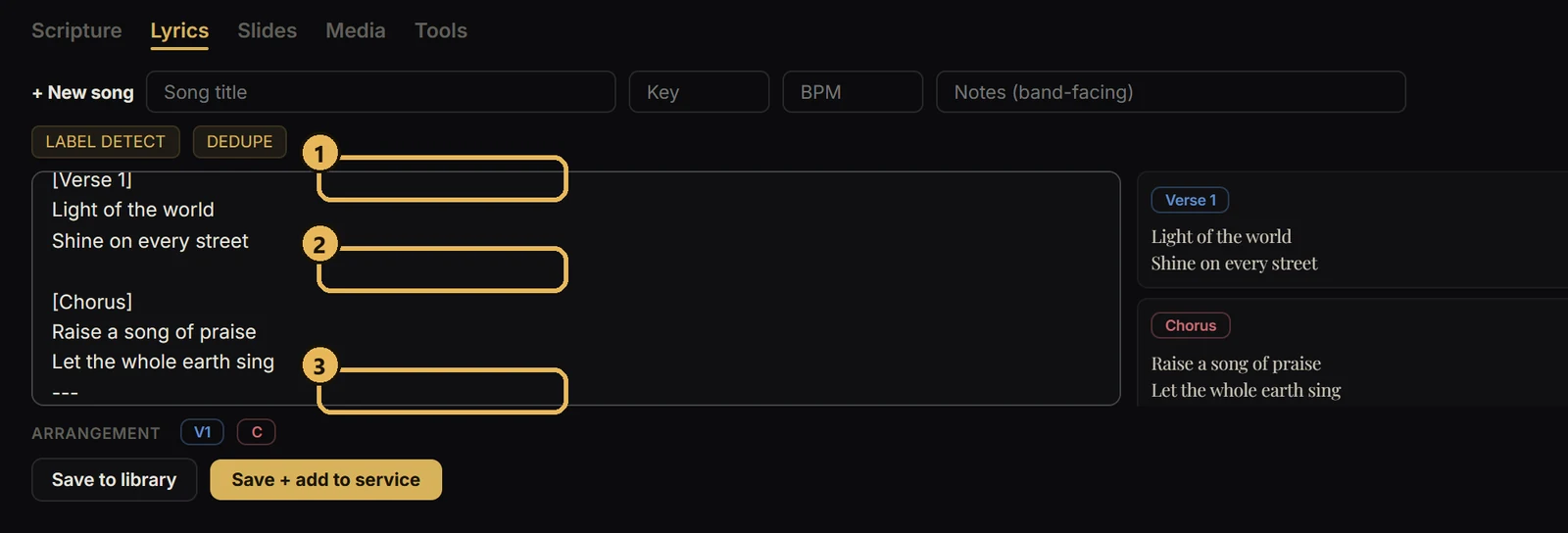
Paste lyrics and Scriptas breaks them into slides.
Songs and lyrics3 steps
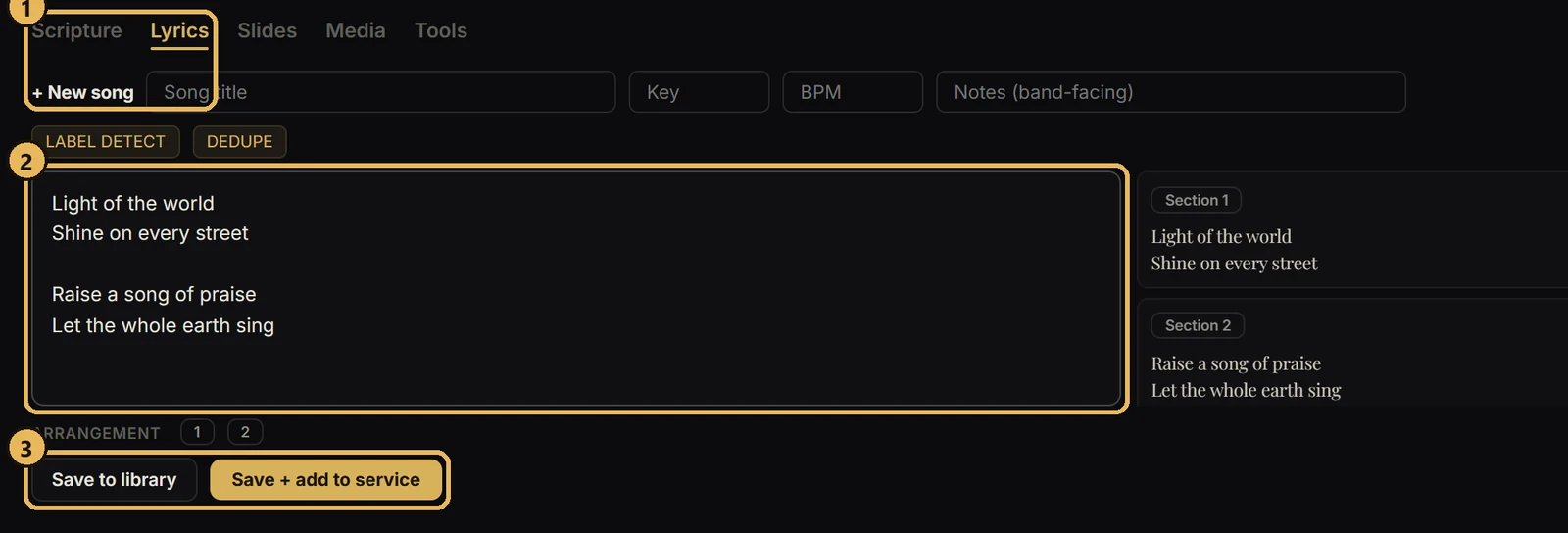
- 1Open the Lyrics tab and choose + New song.
- 2Paste the lyrics. A blank line starts a new slide.
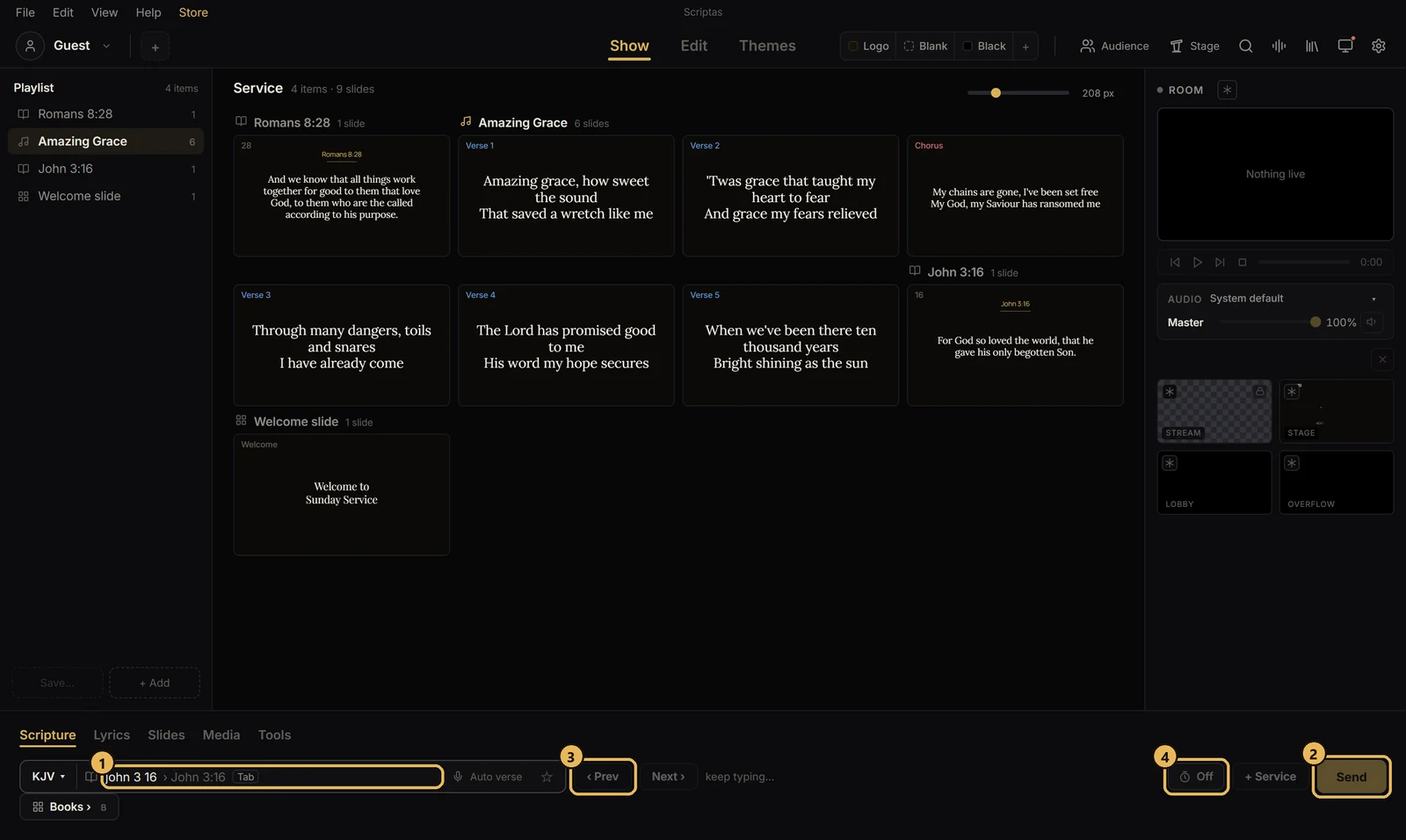
- 3Save, add the song to your service, then click any slide to show it on screen.