 Scriptas
Send a Bible verse
Type a reference and send it to screens.
Bible and scripture4 steps
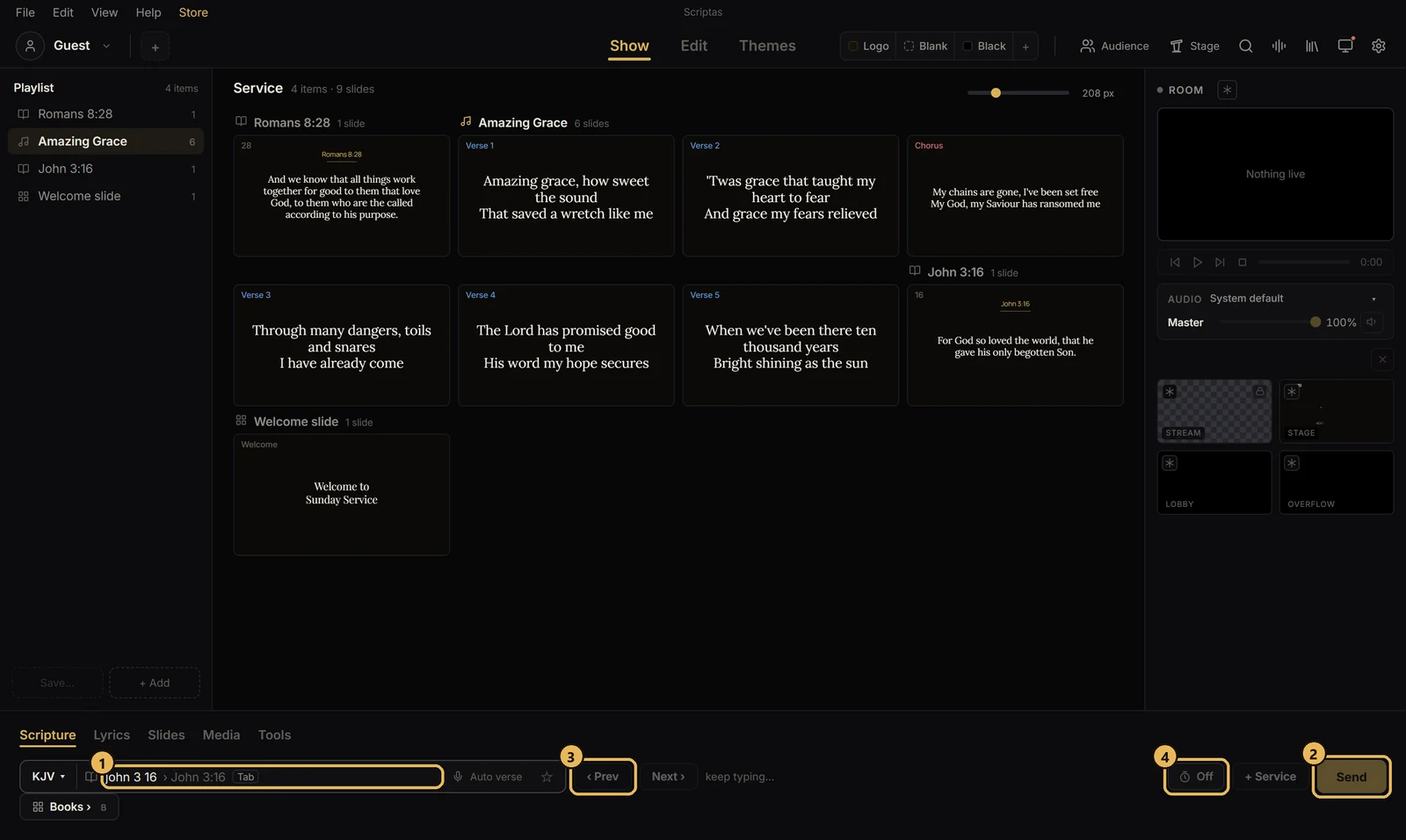
- 1Open the Scripture tab and type the reference as you'd say it, like “john 3 16”. Typos are fine.
- 2Check the verse in the preview, then press Send (or Enter).
- 3Use Prev and Next, left of the search box, to move through verses.
- 4The clock button beside Send clears the screen on its own after a set time.
Related guides

Bible and scriptureFind a verse from its wordsDon't know the reference? Type what you recall.
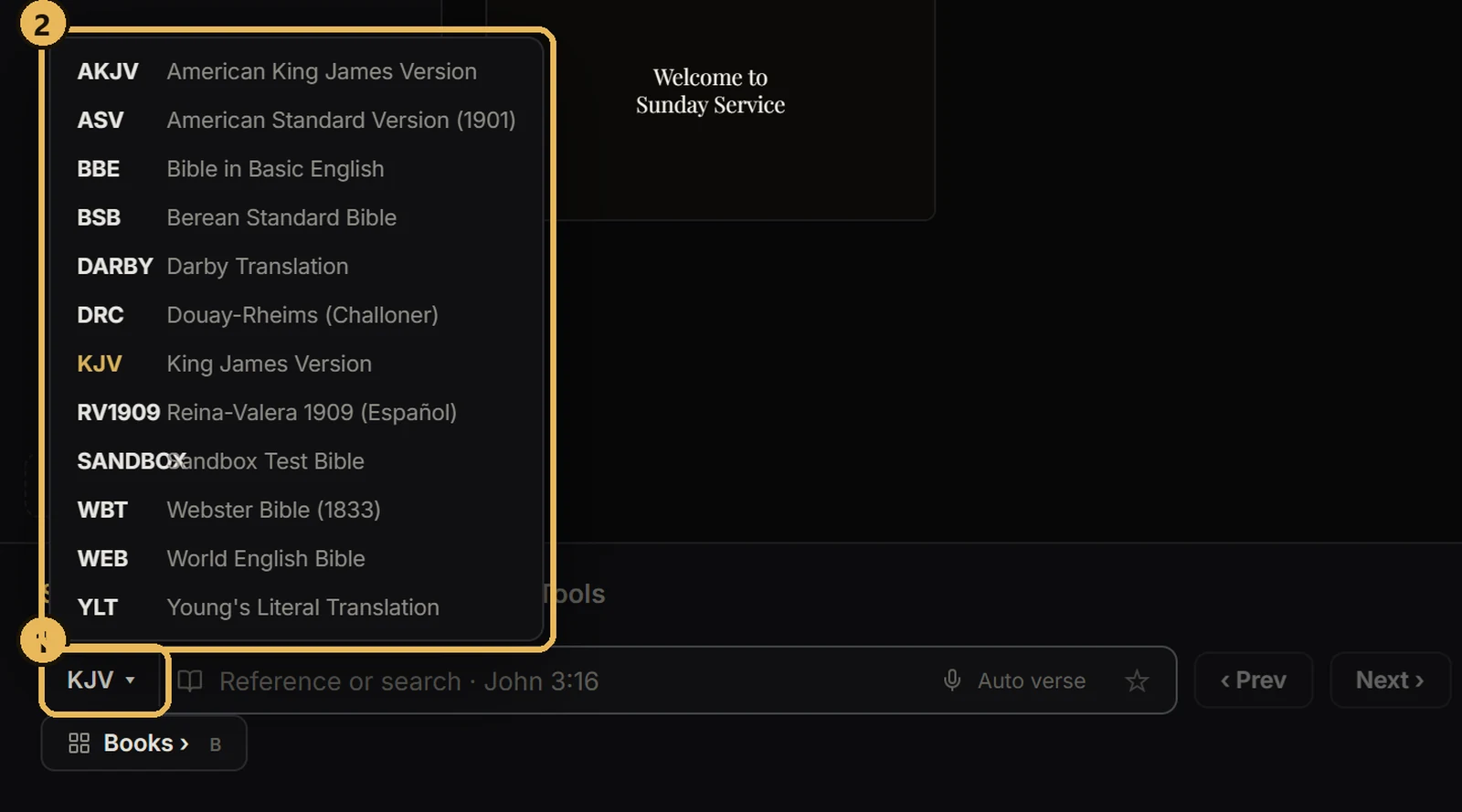
Bible and scriptureSwitch the Bible translationChange translation for the next verse you send.
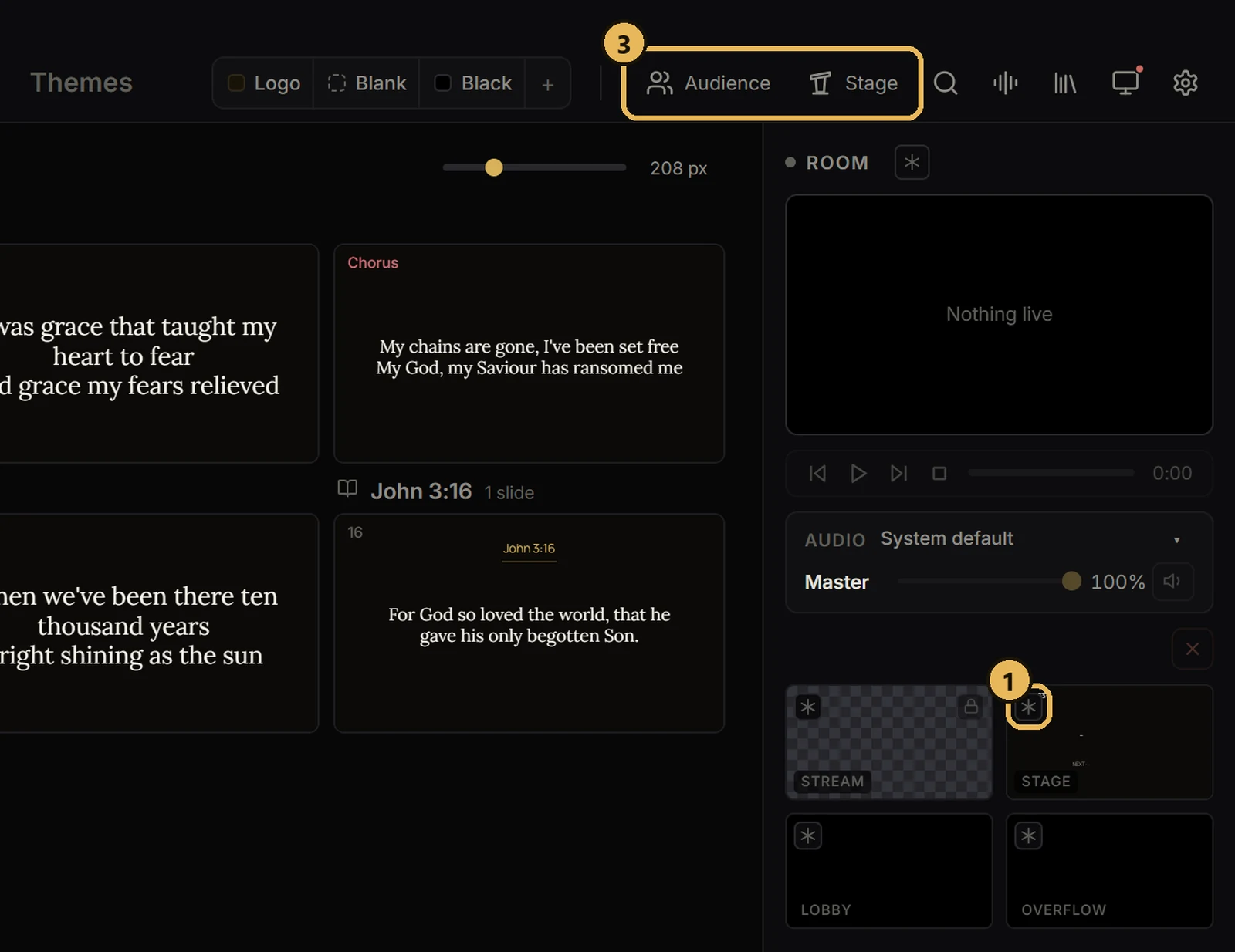
Screens and outputsFreeze or black out a screenHold one screen while you work, or make it dark.
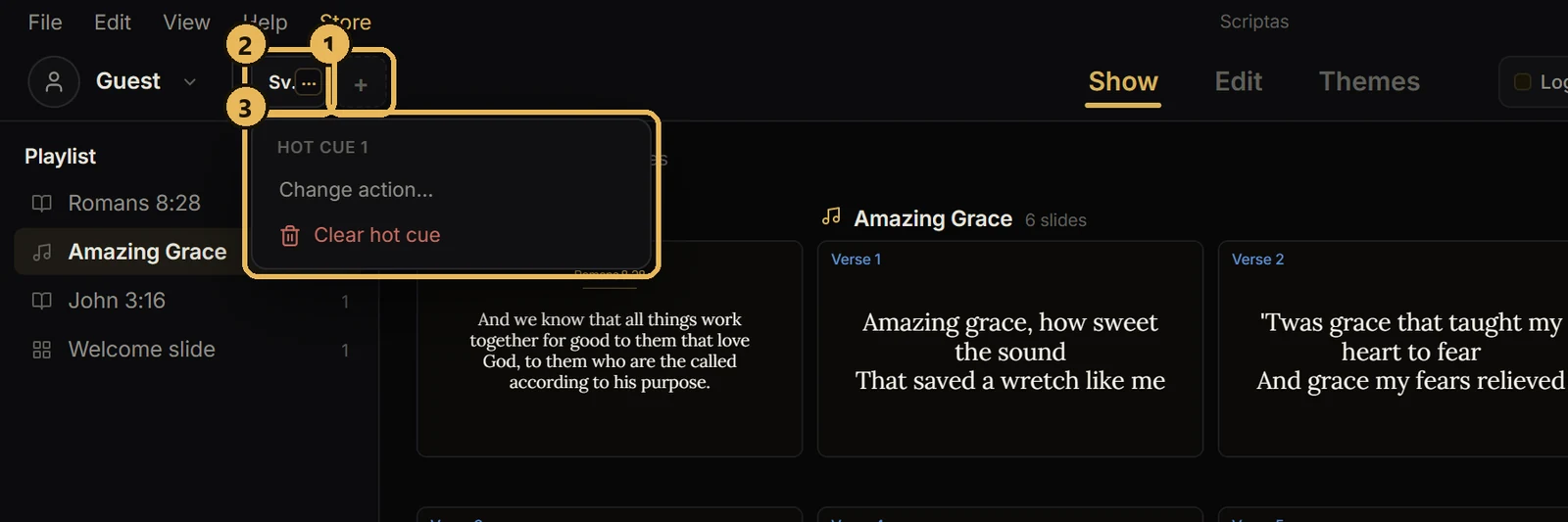
Hot cues, timers and messagesSet up hot cuesSix buttons you pick, next to your profile.